Ex 1.3 — Mention Radar 📡 (bonus)
Goal: as soon as your industry/keyword gets mentioned online, an alert lands in Discord. Mode: individual · Bonus: do this once 1.1 and 1.2 are checked off.
What you'll learn: polling (checking regularly), filtering items with an IF node — and the worst kind of bug: the one that produces no error at all.
🐛 This skeleton contains ONE bug — in the 'Filter' node
Special feature: this bug produces no red node. The workflow runs green… and never sends anything. This is the most dangerous bug in automation: silent success. Happy hunting.
Step 0 — Open the skeleton
Already in your instance: open Ex 1.3 — Mention Radar (don't import it again, you'd get a duplicate; backup: mention-radar.json → Import from file).
5 nodes: Schedule Trigger → Search mentions → Split Out → Filter → Send a message.
CP1 — Mentions come in
- Open Search mentions: it queries the most recent stories:
https://hn.algolia.com/api/v1/search_by_date?query=fintech&tags=story - Replace
fintechwith YOUR keyword (keep a common word for this exercise — you need enough material). - Execute. The Split Out node turns the
hitslist into separate items: look at its OUTPUT — it's no longer ONE response with 20 articles inside, it's 20 items.
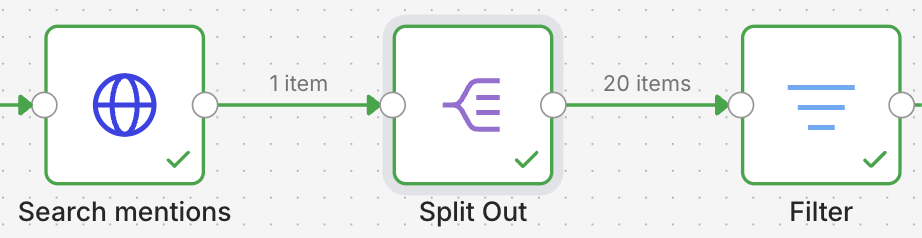
✅ Done when: Split Out outputs multiple items. → CP1.
CP2 — The bug: nothing passes the filter 🐛
- Execute the whole workflow. Everything's green… and your
#sNNstays empty. Nobody gets notified of anything. A dead radar showing "OK". - Open the Filter node: it's supposed to let through articles whose
titlecontains your keyword. - Compare what its condition actually says to what you really want. Fix it.
✅ Done when: items come out of the filter's true branch. → CP2.
Hint 1
Look at the condition's operator. There's a huge difference between "the title IS this word" and "the title CONTAINS this word."
Hint 2
A title is rarely just ONE word. is equal to will never match an entire title against fintech. Look for the contains operator in the list.
Hint 3 — for later
How do you catch this kind of bug in the real world, when nobody's watching? Answer on Thursday (spoiler: we'll set up an inverse alert — "it's been 3 days since I sent anything, that's suspicious").
CP3 — The alert goes out
true branch → Discord node (already set to your #sNN), message [1.3] with title + URL. Execute.
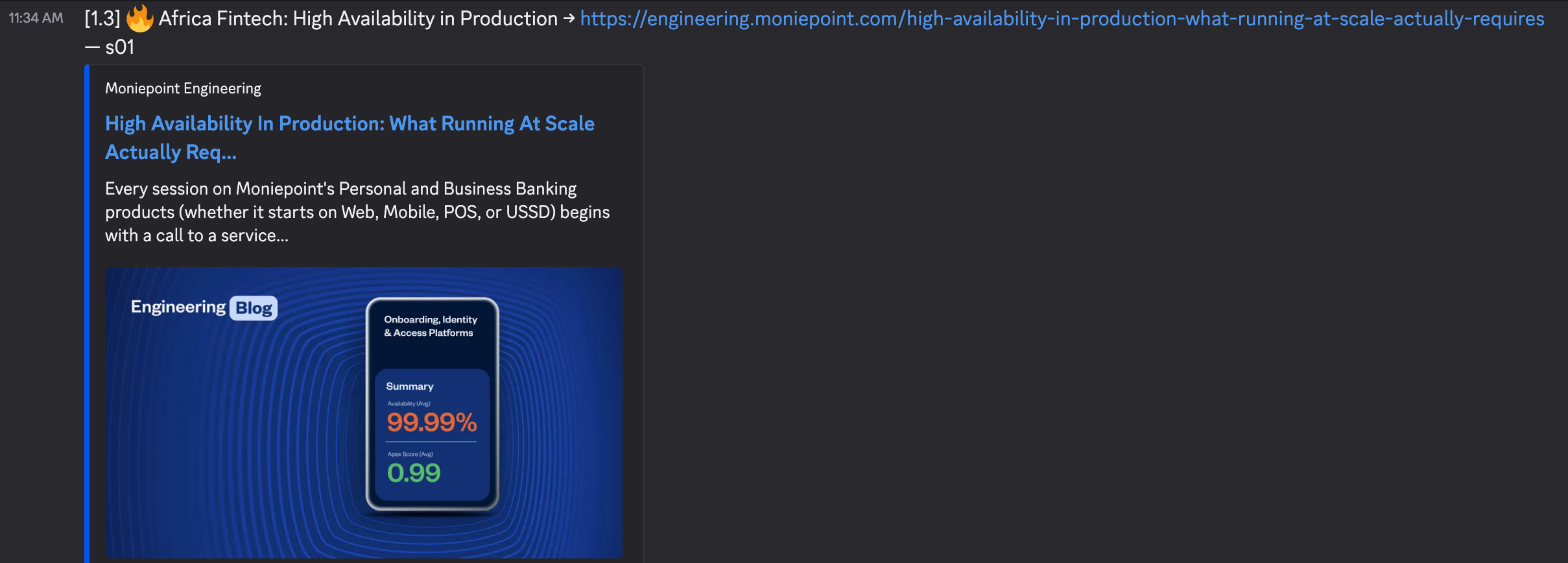
✅ Done when: alerts arrive, and only for relevant articles. → CP3.
CP4 — Turn on the radar
Schedule for every 30 min → Active.
✅ Done when: it's green. Your radar is running. → CP4, exercise done: check it off on the progress board. 🎉
And the real problem with polling?
Your radar is going to send you back the same articles every 30 minutes. Annoying, right? This problem ("what's actually NEW?") is exactly the one in Ex 1.4, and we'll tackle it properly on Tuesday. Want to explore on your own? Look at the Remove Duplicates node and its option to remember state between runs…