Ex 1.2 — Lead Landed 🔥
Goal: when a prospect fills out a form, a formatted alert lands in Discord WITHIN THE SECOND. Mode: individual.
What you'll learn: webhooks (the opposite of a clock: the outside world triggers this one), field mapping — and above all: building a workflow from nothing.
🏗 Empty canvas — no skeleton this time
In 1.1 you fixed an existing workflow. Here, you start from zero: you find, place, and wire up every node yourself. The screenshots show you where you should land at each checkpoint. This is the "I built it myself" moment of the day — there are only 3 nodes, you have everything you need.
CP1 — The webhook exists and is listening
- New workflow, name it
Lead Landed. - + Add first step → search
Webhook→ add it. - Open the node: copy the Test URL (copy button).
- Click Listen for test event — the node waits, like a phone watching for a call.
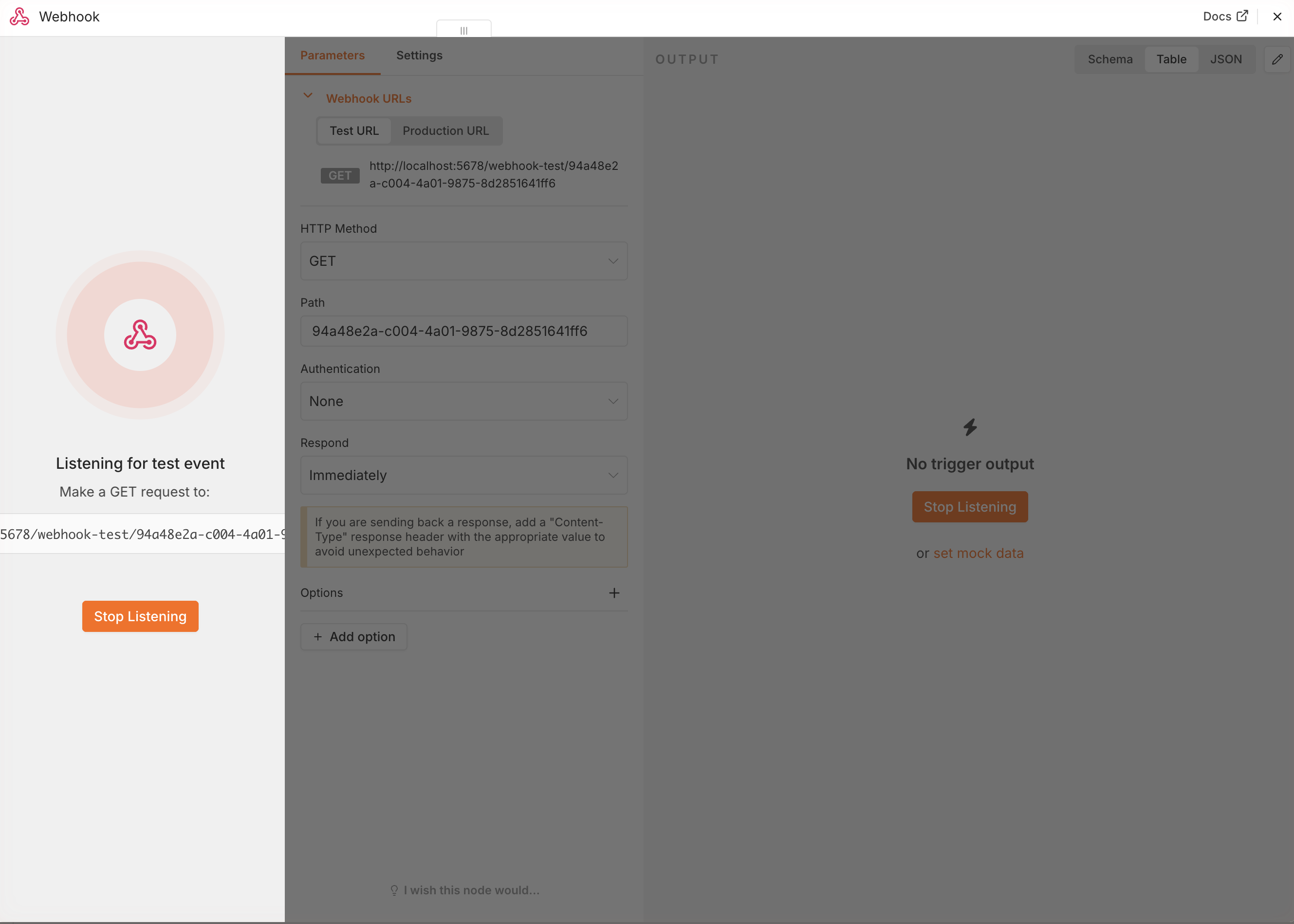
✅ Done when: the node shows it's listening. → CP1.
CP2 — A "prospect" calls your webhook
In real life, this URL would be wired to a Tally or Typeform form on your site. Today, the prospect… is you:
- Open a new tab, paste your Test URL and add to the end:
(use whatever values you want — it's your dream prospect)
?name=Camille&company=LVMH&budget=50000 - Hit Enter. The tab shows a small response, and in n8n… your webhook has received the call.
- Look at the Webhook node's OUTPUT panel. Where are
name,company,budget? Not at the top level! They're tucked inside a box calledquery. Boxes inside boxes — remember the path.
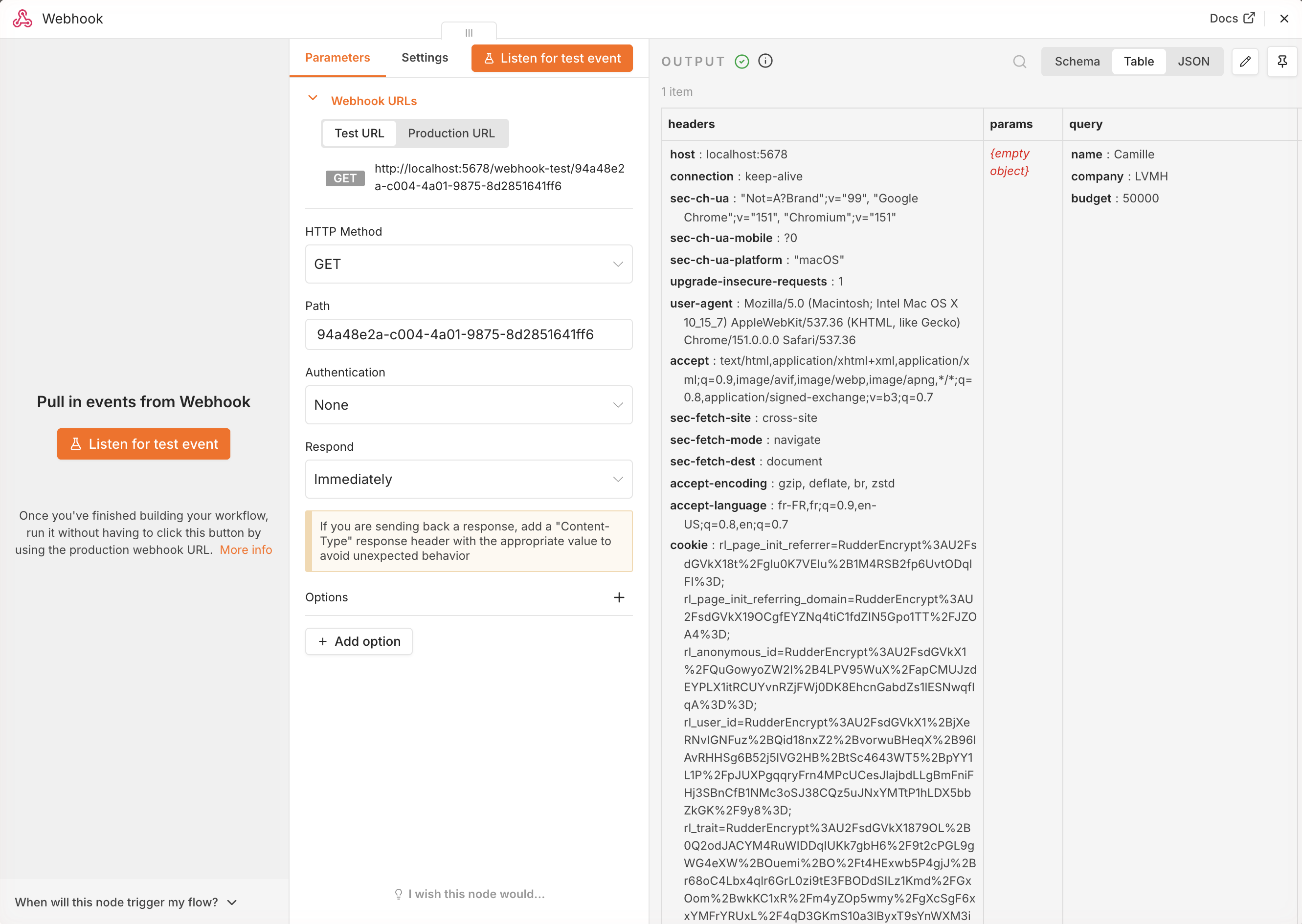
✅ Done when: you see your three values in OUTPUT, under query. → CP2.
Hint 1
Nothing received? Check that the node was set to Listen for test event BEFORE you opened the URL, and that you copied the Test URL (not Production).
CP3 — The formatted alert goes out to Discord
- Add a Discord → Send a message node after the webhook. Credential
Workshop Discord, Server = the workshop server, Channel = yoursNN(pick both from the lists). - Write the message using expressions. Your turn — expected result:
[1.2] 🔥 New lead: Camille (LVMH) — budget €50,000 - Execute the workflow (restart Listen for test event + call the URL again from the tab).

✅ Done when: the alert arrives in your #sNN with the REAL values (not undefined — you already know what that would mean 😉). → CP3.
Hint 1
undefined everywhere? Go back and check the webhook's OUTPUT (reflex #2). Is the name field directly in $json… or inside a box within it?
Hint 2
The path to a box inside a box is formula 2 on your survival card: {{ $json.query.name }}.
CP4 — Make it permanent
- Save, flip the workflow to Active.
- The webhook's Production URL is now wired up continuously. Send it to a neighbor and ask them to send you a prospect! 😄
✅ Done when: an alert arrives while the canvas isn't even open. Your workflow lives its own life without you — that's exactly what automation is. → CP4, exercise done: check it off on the progress board. 🎉
Done early?
- Add an
emailfield and a fallback formula if it's missing:{{ $json.query.email || "not provided" }} - Add a 3rd node: each lead ALSO gets written to your sandbox Google Sheet (row added automatically). That's the start of a real CRM.